

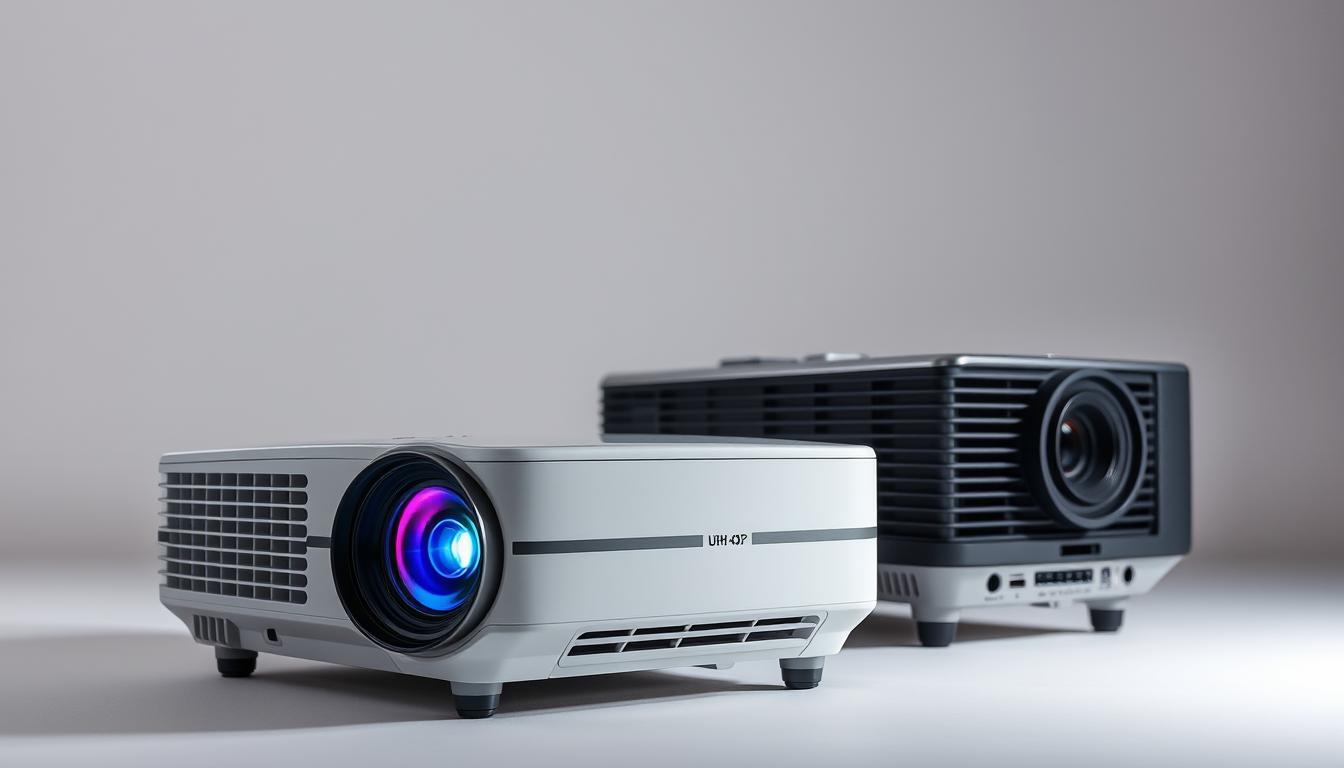
Did you know that 90% of home theater enthusiasts consider resolution the most critical factor in their viewing experience? As technology advances, the choice between UHD and HD projectors has become a significant dilemma for consumers. Whether you’re setting up a cozy home theater or upgrading your entertainment system, understanding the differences is essential.
Take, for example, the Dangbei Mars Pro, a 4K powerhouse, and the Emotn N1, a reliable HD option. These models highlight the trade-offs between image quality, clarity, and budget. Factors like screen size, content type, and personal preferences play a crucial role in making the right choice.

In this guide, we’ll explore key aspects such as resolution specs, image detail, and ideal use cases. By the end, you’ll have a clear understanding of which projector fits your needs perfectly.
Key Takeaways
- Resolution is a top priority for home theater setups.
- UHD projectors offer superior image quality and clarity.
- HD projectors are budget-friendly and still deliver excellent performance.
- Screen size and content type influence the decision.
- Real-world examples like the Dangbei Mars Pro and Emotn N1 provide practical insights.
Introduction to UHD and HD Projectors
The world of projectors revolves around two main resolution standards: high definition (HD) and Ultra-high Definition (UHD). These terms refer to the number of pixels displayed on the screen, which directly impacts image clarity and detail.
HD includes two common formats: 720p (1280×720) and 1080p (1920×1080). The “p” stands for progressive scan, ensuring smoother motion and better image quality. For example, the Samsung Freestyle projector offers 1080p resolution, making it a great choice for crisp visuals.

On the other hand, UHD, often referred to as 4K, boasts a resolution of 3840×2160. This is four times the pixel count of HD, delivering stunning sharpness. Models like the BenQ X3000i showcase this level of detail, perfect for larger screens or immersive viewing.
Pixel density plays a crucial role in sharpness, especially on bigger screens. Higher resolution means more pixels packed into the same space, resulting in finer details. This is why UHD shines in larger setups.
Streaming platforms like Netflix and Amazon Prime are increasingly offering 4K content, making UHD projectors a future-proof investment. Whether you’re watching movies or gaming, understanding these standards helps you make an informed choice.
Resolution: The Core Difference Between UHD and HD
Resolution is the backbone of any visual experience, and it’s where UHD and HD truly differ. The number of pixels on your screen determines how sharp and detailed your visuals will be. For HD, the standard is 1920×1080, which means 2 million pixels. UHD, on the other hand, boasts a resolution of 3840×2160, packing in 8 million pixels—four times more than HD.

Think of it like comparing smartphone cameras. A 12MP camera captures more detail than a 5MP one. Similarly, UHD’s higher pixel density ensures finer details, especially on larger screens. This eliminates the “screen door effect,” where individual pixels become visible, ruining the immersion.
For professional setups, the Epson EH-LS11000W showcases the power of 4K laser projection. Its 3840×2160 resolution delivers crisp, lifelike images, making it ideal for home theaters or conference rooms. Gamers also benefit from UHD’s detail, especially in visually rich titles like *Cyberpunk 2077*, where every texture and shadow matters.
Whether you’re watching movies, gaming, or presenting, understanding resolution helps you choose the right setup. UHD’s higher pixel count ensures future-proof performance, while HD remains a solid, budget-friendly option for smaller screens.
Image Quality and Detail: UHD vs HD
When it comes to visual experiences, image quality and detail are game-changers. The difference between higher and lower resolutions becomes evident in how textures, colors, and clarity are displayed.
For example, 4K projectors like the BenQ X3000i excel in showcasing fine details. Nature documentaries like *Planet Earth II* come alive with intricate textures of foliage, water, and wildlife. Every leaf and ripple is rendered with stunning precision.
HD projectors, such as the Vamvo L4200, are budget-friendly but struggle with fine textures on screens larger than 100 inches. Fabrics and distant landscapes may appear less defined, which can affect immersion.
Another area where 4K shines is in displaying razor-sharp text. This makes it ideal for presentations or professional use. HD, while functional, may not deliver the same level of clarity for detailed graphics or small fonts.
Color accuracy is another key factor. 4K projectors often support a wider color gamut, producing more vibrant and true-to-life colors. HD models may compromise on saturation, especially in darker scenes.
HDR (High Dynamic Range) further enhances 4K’s capabilities. It improves contrast, making bright areas brighter and dark areas darker. This adds depth and realism to the picture quality, creating a more immersive experience.
In summary, 4K projectors offer superior image quality and detail, making them ideal for larger screens and high-end setups. HD remains a solid choice for casual viewing or smaller spaces, balancing performance and affordability.
Screen Size and Viewing Distance: What Works Best?
The size of your screen and how far you sit from it are key factors in your viewing experience. For larger screens, 4K resolution shines, delivering sharp and detailed visuals even on displays over 100 inches. HD, on the other hand, is better suited for smaller screens, typically under 100 inches, where its performance remains impressive.
THX recommends a viewing distance of 1.5 times the screen width for 4K setups. For HD, this increases to 2 times the screen width. For example, with a 100-inch screen, you’d sit about 10 feet away for 4K and 15 feet for HD. This ensures optimal clarity and immersion in your home theater.
Ambient light also plays a role. 4K projectors, like the 2500-lumen Epson models, handle brighter rooms better. HD projectors often require darker environments to maintain image quality. For outdoor setups, 4K’s brightness and detail make it ideal for backyard movie nights.
Some HD models, like the PIQO Projector, can handle large screens up to 240 inches, making them portable options for big displays. However, HD may struggle with pixelation when projecting detailed content like spreadsheets or CAD designs.
In summary, 4K excels on larger screens and in brighter environments, while HD is a cost-effective choice for smaller setups. Understanding these factors helps you create the perfect home theater experience.
Price Comparison: UHD vs HD Projectors
Choosing the right projector often comes down to balancing quality and cost. High-definition models are generally more affordable, with prices ranging from $300 to $1,500. For example, the Emotn N1 is a popular choice at $399, offering excellent performance for casual viewers.
On the other hand, 4K projectors start at $1,500 and can go up to $5,000 or more. The BenQ X3000i, priced at $2,299, is a standout option for those seeking top-tier image quality. The higher price reflects advanced features like laser technology, which enhances brightness and longevity.
- 4K projectors use laser light sources, which are more expensive but last longer than traditional LED lamps found in HD models.
- HD projectors are budget-friendly but may require frequent bulb replacements, adding to long-term expenses.
- Mid-range hybrids like the Anker Nebula Capsule 3 offer a balance between performance and affordability.
For those on a tight budget, refurbished 4K models can be a smart choice. These options provide high-end features at a fraction of the cost, making them ideal for cost-conscious buyers.
Ultimately, the decision depends on your priorities. If you’re looking for future-proof technology and superior image quality, 4K is worth the investment. However, HD remains a solid choice for smaller setups or those who want to save on upfront costs.
Use Cases: When to Choose HD or UHD
Choosing between HD and 4K depends on how you plan to use your projector. For casual streaming, HD is often sufficient. Most of Netflix’s library, around 80%, is in HD. However, 4K originals are growing, making it a future-proof choice for avid streamers.
For gaming, 4K is ideal, especially with consoles like the PS5. The BenQ X3000i, with its 16ms response time, ensures smooth gameplay. HD models may lag, affecting your experience in fast-paced games.
If you’re setting up a dorm room, HD projectors like the Vamvo L4200 are portable and budget-friendly. For a dedicated home theater, 4K models like the Epson EH-LS11000W deliver stunning visuals, perfect for Blu-ray movies.
Hybrid uses are also worth considering. 4K excels in professional settings, like Zoom calls with detailed graphs. In commercial spaces, 4K dominates for digital signage, offering crisp and clear content.
In summary, HD is great for casual use and smaller spaces, while 4K shines in gaming, dedicated theaters, and professional applications. Your choice should align with your specific needs and preferences.
Conclusion: Making the Right Choice for Your Needs
Finding the perfect fit for your viewing setup doesn’t have to be overwhelming. Start by considering your needs: screen size, content habits, and budget. For immersive, future-ready experiences, 4K offers unmatched image quality, making it ideal for a dedicated home theater.
HD remains a solid choice for cost-sensitive or secondary spaces. It’s perfect for casual streaming or smaller rooms where high resolution isn’t a priority. Before making a decision, audit your room dimensions and lighting to ensure compatibility.
Compare top models like the Dangbei Mars Pro and Samsung Freestyle to find the best match for your needs. Whether you prioritize cutting-edge technology or affordability, the right choice is out there.

 No products in the cart.