

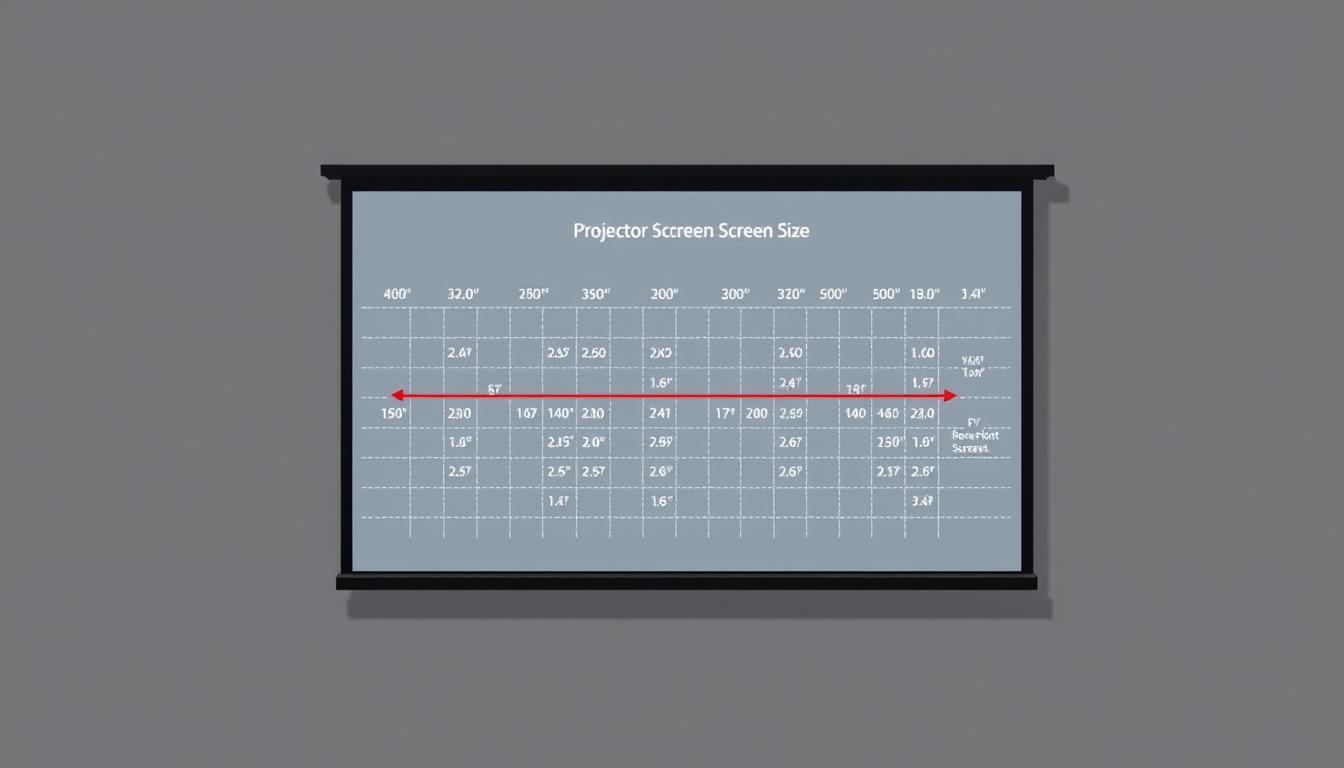
Are you setting up a home theater or conference room and wondering if your grootte projectiescherm is just right?
Choosing the ideal screen dimensions can be daunting, but it’s crucial for an immersive viewing experience.

A properly sized screen ensures that your audience enjoys a captivating visual experience.
Our comprehensive guide and calculator are here to help you find the perfect fit for your space.
Belangrijkste opmerkingen
- Understand the factors that influence the ideal grootte projectiescherm.
- Learn how to measure your room for the perfect fit.
- Discover how to use our screen size calculator for accurate results.
- Get tips on choosing the right aspect ratio for your content.
- Explore the impact of seating distance on screen size selection.
Why Projector Screen Size Matters
De grootte projectiescherm plays a vital role in determining the quality of your viewing experience. It’s not just about picking the largest screen available; it’s about finding the perfect balance that complements your room’s dimensions and the projector’s capabilities.
Impact on Viewing Experience
A projector screen that is too small may not provide the immersive experience you’re looking for, while a screen that’s too large can be overwhelming. The right size ensures that your audience is fully engaged without feeling overwhelmed by the visuals.
Relationship Between Screen Size and Image Quality
The size of the screen directly affects the perceived image quality. A larger screen requires a higher resolution to maintain clarity, as lower resolutions can become pixelated when stretched across a bigger surface. Thus, it’s essential to balance screen size with the projector’s resolution capabilities.
Balancing Size with Room Constraints
Bij het kiezen van een grootte projectiescherm, consider the room’s dimensions and seating arrangement. Key factors include:
- The distance between the screen and the viewing positions
- The room’s lighting conditions
- The projector’s throw distance and brightness
By considering these elements, you can select a screen size that enhances your viewing experience without compromising image quality or viewer comfort.
Understanding Projector Screen Size Basics
To ensure you’re getting the most out of your projector, it’s essential to grasp the fundamentals of screen size. Projector screen size is typically measured in various ways, and understanding these measurements is key to making an informed decision.
Diagonal Measurement Explained
The diagonal measurement of a projector screen is the distance from one corner of the screen to the opposite corner. This measurement is usually expressed in inches and is a standard way to describe screen size. For example, a screen might be described as being 100 inches diagonally.
Width and Height Considerations
While the diagonal measurement gives you an overall sense of the screen’s size, the width and height are also crucial, especially when considering the aspect ratio of your content. For instance, a 16:9 aspect ratio screen will have different width and height dimensions compared to a 4:3 or 2.35:1 screen, even if they have the same diagonal measurement.
Common Projector Screen Sizes in Feet and Inches
Projector screens come in a variety of sizes, commonly ranging from 100 to 300 inches diagonally. Here are some common sizes:
- 100 inches (8.3 feet diagonal)
- 120 inches (10 feet diagonal)
- 135 inches (11.25 feet diagonal)
- 150 inches (12.5 feet diagonal)
Understanding these sizes in both inches and feet can help you better visualize the screen’s dimensions and make a more informed decision.
When choosing a projector screen, it’s not just about picking a size; it’s about selecting a size that fits your room, viewing distance, and content type. By understanding the basics of projector screen size, you can create a more immersive viewing experience.
Projector Screen Size Calculator: How It Works
A projector schermgrootte calculator is an essential tool for determining the perfect screen dimensions for your viewing space. It simplifies the process of finding the ideal screen size based on various factors such as room dimensions, viewing distance, and projector capabilities.
Input Parameters Explained
To use a projector schermgrootte calculator effectively, you need to input certain parameters. These typically include the viewing distance, aspect ratio of the screen, and sometimes the projector’s throw distance or the room’s dimensions. Understanding these inputs is crucial for accurate calculations.
Stap voor stap berekeningsproces
The calculation process involves using the input parameters to determine the optimal screen size. This usually involves mathematical formulas that take into account the viewing distance and aspect ratio to suggest a screen size that provides the best viewing experience. As “The Society of Motion Picture and Television Engineers (SMPTE) recommends a viewing angle of about 30 degrees for an immersive experience.”
Interpreting Calculator Results
Once you have the results from the calculator, it’s essential to understand what they mean. The calculator will typically provide you with a recommended screen size based on your inputs.
Optimal vs. Maximum Size Recommendations
The calculator may provide both optimal and maximum size recommendations. The optimal size is usually based on the SMPTE guidelines for an immersive viewing experience, while the maximum size is the largest screen that can be used without compromising image quality. As noted,
“The key to a great viewing experience is not just the size of the screen, but ensuring it’s appropriate for the viewing distance and room conditions.”
Balancing these recommendations is key to setting up your projector system.
Determining the Ideal Projector Screen Size for Your Space
Determining the perfect projector screen size involves considering several key factors that contribute to an optimal viewing experience. The size of the screen can significantly impact the enjoyment of your favorite movies, shows, and presentations.
Room Size Considerations
The size of your room plays a crucial role in determining the ideal projector screen size. A larger room can accommodate a bigger screen, but it’s essential to ensure that the screen is not so large that it overwhelms the space.
Als THX recommends, the screen size should be proportional to the room size to create an immersive experience. Consider the room’s dimensions and the seating arrangement when deciding on the screen size.
Ceiling Height Limitations
Ceiling height is another critical factor to consider when choosing a projector screen. A screen that is too large may not fit comfortably in a room with low ceilings, potentially causing viewing discomfort.
For instance, a fixed frame screen might be more suitable for rooms with higher ceilings, while a retractable screen could be a better option for rooms with lower ceilings.
Viewing Distance Formula
The viewing distance is the distance between the screen and the viewer. It’s a critical factor in determining the ideal screen size. A commonly used formula to calculate the viewing distance is the 1.5-2.5× rule.
The 1.5-2.5× Rule Explained
The 1.5-2.5× rule suggests that the viewing distance should be between 1.5 and 2.5 times the width of the screen. This range allows for an optimal viewing experience, with 1.5× being the minimum distance for a more immersive experience and 2.5× being the maximum distance for maintaining image clarity.
“The viewing distance is critical in determining the ideal screen size. Sitting too close or too far can significantly impact the viewing experience.”
To illustrate this, consider the following table:
| Screen Width | Minimum Viewing Distance (1.5×) | Maximum Viewing Distance (2.5×) |
|---|---|---|
| 60 inches | 90 inches (7.5 feet) | 150 inches (12.5 feet) |
| 80 inches | 120 inches (10 feet) | 200 inches (16.7 feet) |
| 100 inches | 150 inches (12.5 feet) | 250 inches (20.8 feet) |
By considering these factors and using the viewing distance formula, you can determine the ideal projector screen size for your space.

Aspect Ratios and Their Impact on Screen Size
When setting up a projector, understanding the impact of aspect ratios on screen size is crucial. The aspect ratio refers to the proportional relationship between the width and height of the screen. Different aspect ratios can significantly affect how content is displayed, making it essential to choose the right one for your needs.
16:9 vs. 4:3 vs. 2.35:1 Formats
The most common aspect ratios for projector screens are 16:9, 4:3, and 2.35:1. The 16:9 format is widely used for HDTV and most modern content, offering a widescreen viewing experience. In contrast, the 4:3 format is more suited for older TV content or certain business presentations. For cinematic experiences, the 2.35:1 format is preferred, providing a broader, more immersive view.
- 16:9: Ideal for HDTV, Blu-ray discs, and most streaming services.
- 4:3: Suitable for older TV shows, certain business presentations, and educational content.
- 2.35:1: Best for cinematic experiences and movie enthusiasts.
Choosing the Right Aspect Ratio for Your Content
To select the appropriate aspect ratio, consider the type of content you will be viewing most frequently. If you’re a movie enthusiast, 2.35:1 might be the best choice. For general TV watching or gaming, 16:9 is likely the most suitable. It’s also worth noting that some projectors can adjust their aspect ratios, offering flexibility for different types of content.
Dealing with Format Mismatches
When the aspect ratio of your content doesn’t match that of your screen, you may encounter issues like black bars or image distortion. To mitigate this, some projectors offer features like zoom or scaling. Alternatively, you can adjust the screen size or use a different screen format. Understanding these options can help you optimize your viewing experience.
By carefully considering your content and the capabilities of your projector, you can choose the ideal aspect ratio and screen size for an immersive viewing experience.
Projector Throw Distance and Screen Size Relationship
Projector throw distance and screen size are interlinked factors that determine the quality of your home theater or presentation setup. The throw distance, which is the distance between the projector and the screen, plays a significant role in achieving the optimal screen size for your space.
Short Throw vs. Long Throw Projectors
Projectors are generally categorized into short throw and long throw projectors based on their throw distance. Short throw projectors can produce large images from a short distance, making them ideal for smaller rooms. On the other hand, long throw projectors require a greater distance to achieve the same image size, suitable for larger venues.
For instance, a short throw projector can be placed just a few feet away from the screen, minimizing shadows and glare. This feature is particularly beneficial in home theaters of classrooms where space is limited.
Calculating Throw Ratio
The throw ratio is a critical factor in determining the screen size. It is calculated by dividing the throw distance by the screen width. For example, if a projector has a throw ratio of 1.5:1 and is placed 7.5 feet away from the screen, the screen width should be 5 feet.
| Throw Ratio | Throw Distance | Screen Width |
|---|---|---|
| 1.5:1 | 7.5 feet | 5 voeten |
| 2.0:1 | 10 feet | 5 voeten |
Zoom Capabilities and Limitations
Many modern projectors come equipped with zoom capabilities, allowing you to adjust the image size without moving the projector. However, it’s essential to understand the limitations of your projector’s zoom feature to avoid compromising image quality.
“The zoom feature on projectors can be very convenient, but it should be used within its optimal range to maintain image clarity and brightness.” –
Lens Shift and Its Effect on Placement
Lens shift is another valuable feature that allows you to adjust the image position without moving the projector. This feature provides more flexibility in terms of projector placement, making it easier to achieve the desired image alignment.

By understanding the relationship between projector throw distance and screen size, you can make informed decisions when setting up your home theater or presentation system. Refer to a projector screen size chart to find the perfect balance for your needs.
Comprehensive Projector Screen Size Chart
A projector screen size chart is an essential tool for anyone looking to set up a home theater or presentation system. It helps in determining the ideal screen size based on various factors including room dimensions and viewing distance.
Standard Sizes in Inches and Feet
Projector screens come in various standard sizes, typically measured diagonally. Common sizes range from 100 inches to 300 inches. To give you a better understanding, here are some standard sizes in both inches and feet:
- 100 inches = 8.33 feet
- 120 inches = 10 feet
- 135 inches = 11.25 feet
- 150 inches = 12.5 feet
- 180 inches = 15 feet
Commercial vs. Residential Recommendations
The choice between commercial and residential projector screens depends on your specific needs. Commercial screens are often larger and more durable to accommodate bigger audiences, while residential screens are designed for home theaters and personal use.
| Gebruikscasus | Typical Screen Size Range |
|---|---|
| Residential/Home Theater | 100-150 inches |
| Commercial/Conference Rooms | 150-250 inches |
Screen Size to Viewing Distance Ratio Chart
The ratio of screen size to viewing distance is crucial for an optimal viewing experience. A general rule of thumb is that the viewing distance should be between 1.5 to 2.5 times the screen width.
For example, if you have a 120-inch screen (10 feet diagonal), your viewing distance should be between 12 to 20 feet for the best experience.
Different Types of Projector Screens and Size Considerations
The world of projector screens is diverse, with multiple types available, each with its unique size considerations. Choosing the right type of screen is crucial for an optimal viewing experience.
Fixed Frame Screens
Fixed frame screens are known for their sleek, cinematic look. They are ideal for dedicated home theaters or media rooms. When it comes to size, fixed frame screens are available in various standard sizes, but custom sizes can also be made to fit specific room dimensions. A key consideration is ensuring the screen fits the room’s décor and doesn’t overwhelm the space.
Retractable Screens
Retractable screens, including both manual and motorized options, offer flexibility. They can be rolled up when not in use, making them perfect for multi-purpose rooms. Size considerations for retractable screens involve not just the screen size but also the space required for the rolled-up screen and the mounting hardware.
Portable and Inflatable Screens
For those who need flexibility, portable and inflatable screens are great options. Portable screens are easy to set up and can be moved between locations, while inflatable screens are perfect for outdoor movie nights or temporary setups. Size is a significant factor here, as these screens need to be large enough to provide a good viewing experience but also portable and easy to set up.
Ambient Light Rejecting Screens
Ambient light rejecting (ALR) screens are designed to combat ambient light, providing a clearer image in well-lit rooms. When choosing an ALR screen, size is crucial, as it needs to be large enough to engage the audience but also effectively reject ambient light. ALR screens come in various sizes and are suitable for rooms where controlling light is challenging.
| Type scherm | Size Considerations | Ideaal gebruik |
|---|---|---|
| Fixed Frame | Standard and custom sizes available | Dedicated home theaters |
| Intrekbare | Consider rolled-up size and mounting space | Multi-purpose rooms |
| Portable/Inflatable | Balance size with portability | Outdoor movie nights, temporary setups |
| ALR Schermen | Size impacts ambient light rejection | Well-lit rooms |
Als Home Theater Expert notes, “The right projector screen can elevate your viewing experience. Understanding the different types and their size considerations is key to making an informed decision.”
Projector Screen Size Recommendations for Different Use Cases
Projector screen size recommendations can make a significant difference in the quality of the viewing experience for different applications. Whether you’re setting up a home theater, preparing for business presentations, or organizing an educational event, the right screen size is crucial.
Home Theater Opstellingen
For home theaters, the goal is to create an immersive experience. A screen size between 100 to 120 inches is often recommended, depending on the room’s dimensions and seating arrangement. Using a projector schermgrootte calculator can help determine the ideal size based on viewing distance and room constraints.
Business Presentations and Conference Rooms
In business settings, clarity and visibility are paramount. A screen size between 80 to 100 inches is typically suitable for conference rooms, ensuring that the content is easily viewable by all attendees. The aspect ratio should also be considered to accommodate different types of content.
Classroom and Educational Settings
For educational purposes, the screen size should facilitate learning without overwhelming the students. Sizes ranging from 70 to 90 inches are often used, depending on the classroom size and the number of students. Interactive content can be more effectively delivered with the right screen size.
Buiten filmavonden
Outdoor movie nights require considerations beyond just screen size, such as ambient light and weather conditions. Inflatable or portable screens are popular choices, with sizes typically ranging from 100 to 120 inches for a more cinematic experience.
By considering the specific needs of each use case and utilizing tools like a projector schermgrootte calculator, you can achieve an optimal viewing experience that enhances the overall impact of your presentation or entertainment.
Installation Considerations Based on Screen Size
Choosing the right projector screen size is just the first step; the installation process is equally important for an optimal viewing experience. The size of your projector screen significantly influences the installation requirements, whether you’re mounting it on a wall, ceiling, or using a different setup.
Wall Mounting Requirements
When it comes to wall mounting, the size of the screen dictates the type of mounting hardware you’ll need. Larger screens require more robust mounts to support their weight. It’s essential to consider the projector screen size in feet to determine the appropriate mounting solution.
- Ensure the wall can support the weight of the screen.
- Choose a mount that is compatible with your screen’s size and weight.
- Consider the viewing angle and adjust the mount accordingly.
Ceiling Installation Factors
Ceiling installation is another popular option, especially for larger screens. The size of the screen affects the type of ceiling mount needed, as well as the installation height. For larger screens, you may need to adjust the ceiling mount to ensure it’s level and secure.
- Measure the ceiling height to determine the optimal screen placement.
- Choose a ceiling mount that can support the screen’s weight and size.
- Ensure the screen is level and adjust as necessary.
Electrical and Wiring Needs for Motorized Screens
For motorized screens, the electrical and wiring needs are crucial. Larger screens often require more power to operate the motor. It’s essential to plan the wiring and electrical supply carefully to avoid any issues during installation.
Ensure that the electrical supply meets the manufacturer’s requirements to avoid any potential hazards or malfunctions.
DIY vs. Professional Installation
The decision to opt for DIY or professional installation depends on several factors, including the size of the screen and your comfort level with the installation process. Larger screens often require professional installation due to their size and weight.
By considering these installation factors based on your projector screen size, you can ensure a successful and stress-free installation process.
Conclusion: Making Your Final Decision
Choosing the right projector screen size is crucial for an immersive viewing experience. By considering factors such as room size, viewing distance, and aspect ratio, you can make an informed decision. The projector screen size calculation is a vital step in this process, ensuring that your screen is proportionate to your room and viewing needs.
Een projector calculator for screen size simplifies the process, providing you with accurate measurements and recommendations. This tool takes into account various parameters, including throw distance and screen size, to give you the best possible setup for your projector.
By following the guidelines outlined in this article, you can confidently select the ideal projector screen size for your specific needs. Whether you’re setting up a home theater or a business presentation space, the right screen size will enhance your overall viewing experience.
 Geen producten in de winkelwagen.