



Gaming on a large screen is a game-changer. With a projector, you can enjoy an immersive experience that traditional monitors and TVs can’t match.

Playing on a screen 100″ or larger is the ultimate way to be fully immersed in your favorite games, whether you’re in the midst of a first-person shooter or exploring vast worlds in a third-person RPG. Modern gaming projectors have evolved to offer stunning visuals with low input lag and high refresh rates, making them ideal for competitive gaming.
To achieve optimal performance and enjoy your games to the fullest, understanding how to set up your projector correctly is crucial. This guide will walk you through the process, ensuring you get the most out of your gaming experience.
Key Takeaways
- Understand the key factors that affect gaming performance on a projector.
- Learn how to optimize your projector’s settings for different game genres.
- Discover the latest projector technologies and recommended models for 2024.
- Get troubleshooting tips to enhance your gaming experience.
- Maximize your gaming potential with the right projector setup.
Why Choose a 4K Projector for Gaming
The world of gaming is transformed with the use of a 4K projector, offering an unparalleled visual experience. Modern gaming has advanced significantly in terms of rendering abilities, making the size of the display, resolution, and speed crucial for a great gaming experience.
Gaming on a projector screen that is 100 inches or larger is the best way to be fully immersed in a game. Whether you’re playing in first-person shooter mode or third-person RPG, having your screen extend to the edge of your peripheral vision enhances the experience.
Immersive Gaming Experience on a Larger Screen
Modern 4K projectors can create massive screens that fill your field of vision, making games more immersive than ever before. Unlike traditional monitors or TVs that typically max out at 65-85 inches, gaming projectors can easily create 100-120 inch displays.
This larger screen size is particularly beneficial for split-screen multiplayer games, giving each player more visual space to work with. Additionally, gaming on a projector turns your home space into a versatile entertainment center.
| Feature | Traditional Monitors/TVs | 4K Projectors |
|---|---|---|
| Screen Size | Max 65-85 inches | Easily 100-120 inches |
| Immersive Experience | Limited by screen size | Highly immersive |
| Multiplayer Benefits | Limited screen real estate | More space for split-screen |
Enhanced Visual Quality with 4K Resolution
The 4K resolution, with its 3840×2160 pixels, provides four times the detail of standard 1080p displays. This allows gamers to see fine textures, distant objects, and subtle details that enhance gameplay.
Modern 4K projectors can reproduce vibrant colors and deep contrasts, showcasing the artistic design of today’s visually stunning games exactly as developers intended. This level of visual fidelity significantly enhances the gaming experience.
Key Factors to Consider When Buying a 4K Projector for Gaming
Selecting the right 4K projector for gaming involves considering multiple critical factors. A good gaming projector can elevate your gaming experience with its immersive visuals and responsive performance. However, with so many options available, making an informed decision can be challenging.
Understanding Input Lag and Its Importance
Input lag is a critical specification for gaming projectors, referring to the delay between your controller input and the corresponding action appearing on screen. For competitive gamers, low input lag is crucial as it directly affects their performance. The acceptable range for input lag varies from 50ms for casual gamers to as low as 16ms for competitive gamers.
Input lag categories:
- Acceptable: Up to 50ms, suitable for casual gamers.
- Good: 33ms to 40ms, suitable for most gamers.
- Optimal: 16ms to 20ms, ideal for competitive gamers.
As PC Gamer notes, “For fast-paced games, the difference between 16ms and 50ms can be the difference between winning and losing.”
Refresh Rates and Motion Handling
The refresh rate determines how many frames per second your projector can display. A higher refresh rate results in smoother motion, which is particularly important for fast-paced games. While 60Hz is the minimum for smooth gaming, serious gamers should look for projectors supporting 120Hz or even 240Hz.
| Refresh Rate | Gaming Experience |
|---|---|
| 60Hz | Minimum for smooth gaming |
| 120Hz | Enhanced gaming experience |
| 240Hz | Ideal for competitive gaming |
HDR Support and Color Performance
HDR (High Dynamic Range) support enhances gaming visuals by expanding the contrast ratio and color gamut, making games look more vibrant and realistic. When evaluating color performance, look for projectors with wide color gamut coverage (at least 90% of DCI-P3) for the most accurate reproduction of game visuals.

Audio Capabilities for Gaming
Don’t overlook audio capabilities when choosing a gaming projector. Many gaming projectors now feature specialized audio modes for different game genres, enhancing directional sound for competitive advantages. Some projectors, like BenQ models, offer game-specific audio modes that emphasize different frequencies based on game type.
“Good audio is just as important as good visuals when it comes to gaming. It can make or break your immersion in the game world.” –
By considering these key factors, you can find a 4K projector that meets your gaming needs and enhances your overall gaming experience.
Essential Equipment for Your Gaming Projector Setup
To create an immersive gaming experience, several key pieces of equipment are necessary. A great gaming setup is not just about the projector itself, but also about the other components that work together to provide an optimal gaming experience.
Choosing the Right Screen Type and Size
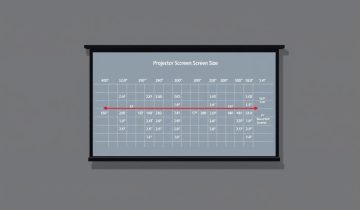
The screen is a crucial element in a gaming projector setup. When choosing a screen, consider the ambient light in your gaming space. If you can’t control the room light, consider using an ambient light rejection (ALR) screen, which helps preserve contrast and color accuracy.
Determining the right screen size is also important. A general rule of thumb is that the screen width should be approximately 0.5 times your viewing distance for an immersive experience without eye strain.

| Screen Type | Description | Best For |
|---|---|---|
| Fixed-Frame | Provides the flattest surface and best image quality | Gaming setups where the screen won’t be moved |
| Retractable | Offers flexibility for multi-purpose rooms | Rooms used for multiple purposes |
| ALR Screens | Preserves contrast and color accuracy in lit rooms | Rooms with ambient light |
HDMI Cables and Other Necessary Accessories
For a seamless gaming experience, HDMI cables are essential. High-speed HDMI cables with a minimum bandwidth of 18Gbps are required for 4K HDR gaming at 60Hz.
Other necessary accessories include a stable mounting solution for the projector, which is crucial for consistent image quality. Consider a ceiling mount for permanent setups or an adjustable stand for more flexible arrangements.
Additionally, don’t overlook cable management solutions to keep your gaming area clean and prevent accidental disconnections. A UPS (uninterruptible power supply) can also protect your gaming projector from power surges and prevent progress loss during brief power outages.
Step-by-Step Setup Guide for Your Gaming Projector
A well-configured gaming projector can elevate your gaming sessions to new heights of immersion and enjoyment. To achieve this, follow a systematic approach to setting up your equipment.
Finding the Optimal Placement for Your Projector
The first step in setting up your gaming projector is determining its optimal placement. This involves understanding the projector’s throw ratio and measuring the distance from the screen to achieve your desired screen size. For instance, standard throw projectors typically require 10-15 feet of distance for a 100-inch screen, while short throw models can be placed 3-5 feet away, and ultra-short throw projectors can be positioned just inches from the wall. Proper placement is crucial for minimizing distortion and ensuring a clear image.
When mounting your projector, ensure it is level and properly aligned with the screen. Most projectors come with a built-in test pattern that can be used to check alignment and make necessary adjustments to eliminate keystone distortion.
Connecting Your Gaming Console or PC
To connect your gaming console or PC to the projector, use the appropriate HDMI port. For 4K HDR gaming, it’s essential to use HDMI 2.0 ports or higher. Additionally, enable any enhanced HDMI settings available in your projector’s menu to ensure optimal performance.
As noted by industry experts, “Using the right HDMI version is critical for achieving 4K resolution at high refresh rates, which is a hallmark of a superior gaming experience.”
Adjusting Display Settings for Gaming
Configure your gaming device’s display settings to match your projector’s capabilities. This includes setting the resolution to 4K (3840×2160), adjusting HDR settings if available, and selecting the appropriate refresh rate (60Hz, 120Hz, etc.). Accessing your projector’s gaming preset modes can also significantly enhance your gaming experience, as these modes are designed to reduce input lag and optimize picture settings for different game genres.
Calibrating Audio Settings
Calibrating your audio settings is equally important for an immersive gaming experience. Many projectors offer gaming audio presets that enhance different frequency ranges based on the game type. For example, FPS modes emphasize directional audio cues, while RPG modes boost atmospheric sounds and bass. If you’re using external speakers or a sound system, ensure proper synchronization between audio and video to prevent distracting lip-sync issues during gameplay.
By following these steps and fine-tuning your settings based on your gaming preferences and room conditions, you can create an engaging and immersive gaming environment with your 4K projector.
Top 4K Projectors for Gaming in 2024
As we dive into 2024, the market is flooded with exceptional 4K gaming projectors that promise to elevate your gaming experience. With advancements in technology, these projectors offer superior image quality, lower input lag, and enhanced features tailored specifically for gamers.
BenQ X3100i

Key Features and Specifications
The BenQ X3100i is a standard throw DLP projector equipped with an LED light source, boasting an impressive brightness of nearly 3000 ANSI lumens in its brightest mode. It supports 4K resolution and features a high refresh rate, making it ideal for fast-paced games.
Gaming Performance
This projector delivers outstanding gaming performance with low input lag and high brightness, ensuring a seamless gaming experience even in rooms with ambient light.
Pros and Cons
Pros: High brightness, low input lag, and excellent color accuracy.
Cons: Some users may find the fan noise noticeable.
ViewSonic X2-4K

Key Features and Specifications
The ViewSonic X2-4K is a 4K HDR-capable, LED DLP gaming projector with an RGB LED light source producing 2,000 ANSI lumens. It’s designed specifically for Xbox and supports gaming at various resolutions and refresh rates.
Gaming Performance
With its vibrant colors and support for high refresh rates, the X2-4K offers an immersive gaming experience. It’s particularly noted for its compatibility with Xbox consoles.
Pros and Cons
Pros: Excellent color vibrancy, versatile refresh rate support, and “Designed for Xbox” certification.
Cons: Brightness may not be sufficient for very bright rooms.
BenQ TK700STi

Key Features and Specifications
BenQ proudly presents the TK700STi as the “World’s First 4K HDR Gaming Projector” with 4K @ 60Hz and an incredibly low input lag of 16.7ms. It’s designed for competitive gamers who require fast response times.
Gaming Performance
The TK700STi excels in gaming performance with its low input lag and support for 4K resolution at 60Hz, making it perfect for fast-paced, competitive gaming.
Pros and Cons
Pros: Extremely low input lag, supports 4K @ 60Hz.
Cons: May require calibration for optimal performance.
BENQ X500i

Key Features and Specifications
The BENQ X500i is a short throw DLP projector with an LED light source, producing 2200 ANSI lumens. It’s designed for those who want a high-quality gaming experience without the need for a long throw distance.
Gaming Performance
With its short throw design and excellent brightness, the X500i offers a great gaming experience. It’s suitable for rooms of various sizes and can handle ambient light effectively.
Pros and Cons
Pros: Short throw distance, high brightness, and good color accuracy.
Cons: Limited to a certain screen size due to its short throw design.
Optoma UHZ55

Key Features and Specifications
The Optoma UHZ55 is a laser projector that follows the successful UHZ50 model. It utilizes laser light source technology for consistent brightness and offers excellent HDR performance.
Gaming Performance
This projector is known for its consistent brightness throughout its lifespan and excellent HDR capabilities, making it suitable for a wide range of gaming environments.
Pros and Cons
Pros: Consistent brightness, excellent HDR performance, and long lifespan.
Cons: May be pricier than some LED models.
Epson LS11000

Key Features and Specifications
The Epson LS11000 is a standard throw 3LCD projector with a single laser light source, capable of producing 2500 ANSI lumens. It supports true 4K/120Hz input through its HDMI 2.1 ports.
Gaming Performance
With its support for 4K/120Hz and high brightness, the LS11000 is ideal for next-gen console gaming. However, its 3LCD technology may not match DLP models in terms of motion handling.
Pros and Cons
Pros: Supports 4K/120Hz, high brightness, and good color accuracy.
Cons: May not be as effective in motion handling as DLP projectors.
Optimizing Your Gaming Experience
The key to an immersive gaming experience lies in fine-tuning your projector’s settings. To achieve the best possible performance, it’s essential to adjust your projector settings according to the type of game you’re playing and the ambient light in your gaming area.
Fine-Tuning Picture Settings for Different Game Genres
Different game genres benefit from specific picture settings. For instance, FPS games perform best with higher brightness and contrast for better visibility in dark areas. In contrast, RPGs often look better with richer colors and deeper blacks for atmosphere.
- FPS games: Higher brightness and contrast for better visibility
- RPGs: Richer colors and deeper blacks for atmosphere
- Racing games: Higher brightness and vibrant colors for track visibility
- Strategy games: Neutral color temperatures for extended play sessions
Most gaming projectors offer preset picture modes for different game types. However, fine-tuning these presets can significantly improve your experience based on your specific room conditions and personal preferences.
Managing Ambient Light for Best Performance
Managing light is crucial for projector gaming. Even the brightest projectors (3000+ ANSI lumens) struggle to maintain contrast and color saturation in rooms with significant ambient light.
Consider installing blackout curtains or blinds for daytime gaming sessions. For rooms where ambient light can’t be fully controlled, ambient light rejecting (ALR) screens can preserve up to 80% more contrast and color saturation compared to standard white screens.
By fine-tuning your picture settings and managing ambient light, you can significantly enhance your gaming experience with a 4K projector.
Troubleshooting Common Issues with Gaming Projectors
To ensure optimal performance, it’s crucial to troubleshoot common gaming projector issues. Gaming projectors can enhance the gaming experience, but like any technology, they can encounter problems. Understanding how to address these issues can significantly improve your gaming sessions.
Dealing with Input Lag Problems
Input lag is a critical factor in gaming projector performance, referring to the delay between the signal being sent by the gaming system and received by the projector. To minimize input lag, first, ensure that your projector’s game mode is activated, as it disables most image processing to reduce lag time. Using high-speed HDMI cables (18Gbps or higher) is also recommended to prevent signal degradation.
Some projectors have different input lag performance on different HDMI ports. It’s essential to consult your manual to identify which port is optimized for gaming. Additionally, disabling unnecessary image processing features like motion smoothing or dynamic contrast can help reduce input lag.
Resolving Image Quality Issues
Image quality issues can arise from various factors. First, check if your light source is nearing the end of its life. LED and laser sources typically last 20,000-30,000 hours but gradually dim over time. If colors appear washed out or inaccurate, verify that your projector’s color space settings match your gaming console’s output.
Blurry images often result from incorrect focus or projector placement. Use the projector’s focus ring and test patterns to achieve optimal sharpness. As one expert notes,
“Proper alignment and focus are key to a great gaming experience.”
Ensuring proper ventilation around the unit and cleaning dust filters regularly can also prevent issues like overheating, which can cause the projector to enter a power-saving mode.
By addressing these common issues, you can significantly enhance your gaming experience with a projector.
Conclusion
Setting up a 4K projector for gaming is a game-changer, providing a cinematic experience in the comfort of your home. The size of the screen certainly helps a lot, but so does the ability to intelligently adjust the projector’s video and audio output to best match each game’s performance.
Today’s gaming projectors have overcome historical limitations, with many models now offering input lag times under 20ms, high refresh rates up to 240Hz, and resolution options that support the latest gaming consoles and PCs. This means that whether you’re a casual player or a competitive gamer, there’s a projector that can meet your needs.
The flexibility of projector setups allows your gaming space to serve multiple purposes – functioning as both a competitive gaming station and a home cinema without requiring multiple dedicated screens. As projector technology continues to advance, we’re seeing longer light source life (30,000+ hours for LED and laser models), improved HDR performance, and better gaming-specific features.
With the right 4K projector, you can revolutionize your gaming experience for years to come. The list of gaming-optimized projectors continues to grow, with manufacturers like BenQ, ViewSonic, Optoma, and Epson offering models specifically designed for modern gaming. By choosing the right projector, you can enjoy a truly immersive gaming experience.
FAQ
What is the ideal brightness for a gaming projector?
The ideal brightness for a gaming projector depends on the ambient light in the room. For a dark room, a lumen output of 1,500-2,500 is sufficient, while a brighter room requires 2,500-3,500 lumens.
How does input lag affect gaming performance?
Input lag can significantly impact gaming performance, causing delays between controller input and on-screen action. Look for projectors with low input lag, ideally below 30ms, to ensure a responsive gaming experience.
What is the significance of refresh rate in gaming projectors?
A higher refresh rate, such as 120Hz or 240Hz, provides a smoother gaming experience, especially in fast-paced games. This feature helps reduce motion blur and judder.
Can I use a gaming projector with a screen or do I need a dedicated surface?
While you can project onto a wall, a dedicated screen can enhance image quality. Choose a screen with a suitable gain and material to optimize your gaming experience.
How do I ensure optimal color performance on my gaming projector?
To achieve optimal color performance, adjust the projector’s color settings, and consider using a calibration disk or consulting a professional for precise calibration.
What is the difference between LED and laser light sources in projectors?
LED light sources tend to be more eco-friendly and cost-effective, while laser light sources offer higher brightness and a longer lifespan. Consider your specific needs when choosing between these options.
How important is HDR support in a gaming projector?
HDR support enhances the overall visual quality by offering a broader range of colors and contrast levels. This feature is particularly beneficial for games that support HDR.
Can I connect my gaming console to a projector using an HDMI cable?
Yes, most modern gaming projectors have HDMI ports, allowing you to connect your console or PC directly. Ensure the projector has enough HDMI ports to accommodate all your devices.
 No products in the cart.