


Portable video projectors are a fantastic way to enjoy movies, gaming, or presentations on a big screen, whether at home or on the go. However, to get the most out of your projector, you’ll need to ensure you’re optimizing its picture quality. If your projector’s image isn’t as sharp, bright, or vibrant as you’d like, don’t worry—there are some simple steps you can take to improve it. Here’s how you can maximize your portable projector’s picture quality for a truly cinematic experience.
1. Use the Right Projection Surface
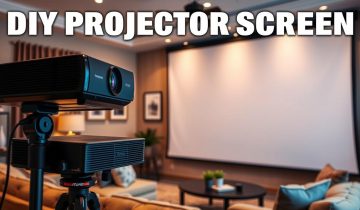
The surface you project onto has a huge impact on the image quality. Ideally, use a matte white screen designed for projectors, as it enhances brightness and color while reducing glare. If a screen isn’t available, a smooth, clean wall can work—but avoid textured or colored walls as they can distort the image.
Pro Tip: For the best results, consider investing in a portable projector screen. They’re relatively affordable and make a big difference.
2. Control the Lighting
Ambient light can wash out your projector’s image, so controlling the lighting in the room is crucial. The darker the space, the better your projector will perform. Use blackout curtains or turn off unnecessary lights to create a theater-like setting.
Pro Tip: If you need to use the projector in a brighter room, look for one with at least 2,500 lumens to ensure the image remains bright and clear.
3. Perfect Your Placement
Where you position your projector matters. Check your projector’s recommended throw distance to make sure it’s set up at the right distance from the screen or wall. Also, make sure it’s aligned properly to avoid distortion.
Pro Tip: Use the adjustable feet or a tripod to fine-tune the angle and height for a perfect display.
4. Fine-Tune the Picture Settings
Take advantage of your projector’s settings to enhance the image. Most projectors let you adjust brightness, contrast, sharpness, and color. These tweaks can dramatically improve the image based on your viewing environment.
- Brightness: Adjust according to the room’s lighting conditions.
- Contrast: Boost for deeper blacks and more defined details.
- Color Temperature: Set to warm or cool tones depending on the content.
Pro Tip: Experiment with preset modes like “Cinema,” “Dynamic,” or “Game” as a starting point, then customize further if needed.
5. Focus the Lens
A blurry image can ruin the viewing experience. Most portable projectors have a manual or automatic focus feature—use it to sharpen the picture.
Pro Tip: Display high-contrast text or an image while focusing for the clearest results.
6. Upgrade Your Source Content
The quality of the content you project is just as important as the projector itself. Streaming low-resolution videos will lead to a lackluster image. Always opt for HD or 4K content for the best results.
Pro Tip: Use an HDMI connection for a more stable and high-quality signal between your projector and device.
7. Keep the Lens Clean
Dust and smudges on the projector lens can reduce sharpness and brightness. Regularly clean the lens with a soft microfiber cloth to maintain clarity.
Pro Tip: Turn off and unplug the projector before cleaning to avoid damaging the lens or components.
8. Prevent Overheating
Overheating can impact your projector’s performance. Make sure it’s placed on a flat surface with its vents unobstructed. If you’re using it for extended periods, give it breaks to cool down.
Pro Tip: Check and clean the air filters regularly to ensure the cooling system works efficiently.
9. Upgrade Your Accessories
If you want to take your setup to the next level, consider these upgrades:
- External Speakers: Built-in speakers are often underwhelming, so connect external ones for richer sound.
- Tripod or Ceiling Mount: For a more stable and adjustable setup.
- Streaming Devices: Devices like Roku, Chromecast, or Firestick can provide seamless access to high-quality content.
10. Keep Your Projector Updated
Manufacturers often release firmware updates to improve the performance and features of their devices. Make sure your projector’s software is up to date for the best viewing experience.
Pro Tip: Check the user manual or the manufacturer’s website for update instructions.
Conclusion: Get the Most Out of Your Projector
Enhancing your portable projector’s picture quality doesn’t require a ton of effort—just a few tweaks to your setup and equipment can make a world of difference. Whether you’re enjoying a movie night, playing your favorite game, or giving a presentation, these tips will help you get the sharpest, brightest, and most vibrant image possible.
Ready to elevate your entertainment? Follow these steps and transform your portable projector into the ultimate big-screen experience!
 No products in the cart.